Sales & customer calls
Turn calls into a searchable record of what was promised, pricing discussed, and next steps without a scramble for notes afterward.
Chrome extension for Meet, Teams, and Zoom
Paper saves audio while you host or join in Chrome. After processing you get playback, a searchable transcript, and optional answers tied to what was recorded. Nothing joins your call as an extra participant. You do not get live captions or an in-call copilot during the meeting.
Use cases
Paper fits roles where meetings produce real commitments and detail you need after the call ends.
Turn calls into a searchable record of what was promised, pricing discussed, and next steps without a scramble for notes afterward.
Capture key answers and panel discussion so debriefs are grounded in what candidates actually said, not memory.
Keep decisions and owners visible across teams when standups and planning meetings pile up during the week.
When wording matters, you get a stable transcript to revisit after processing, not a vague summary.
Help people ramp faster by tying explanations and walkthroughs to the meeting they happened in.
Missing the meeting doesn’t mean missing the substance if the recording and transcript land in one workspace.
How it works
01
One click from our site. Paper only runs when you’re in a supported meeting tab. You stay in control.
02
Open Meet, Teams, or Zoom in the browser. Paper captures audio from the tab (with clear consent cues) and saves what you need for later.
03
Jump back to highlights, search something someone said, or ask for a recap once the transcript is ready, without replaying an hour-long recording.
What you get
Built for the browser tabs millions of teams already use. No bot that phones into every meeting.
Keep meetings grouped by company or project so search and history stay tidy.
Once capture finishes, Paper turns audio into text you can search. You won’t see rolling captions inside the tab during the meeting.
Find “who promised what?” without scrubbing the full recording.
Optional summaries or transcript delivery when you turn notifications on.
Backed by a modern API so the app stays quick as you browse meetings and threads.
Heavy work like transcription runs off the tab so Chrome stays responsive during the day.
Ask questions grounded in that meeting’s transcript after processing instead of generic chat filler.
Recording & transcript
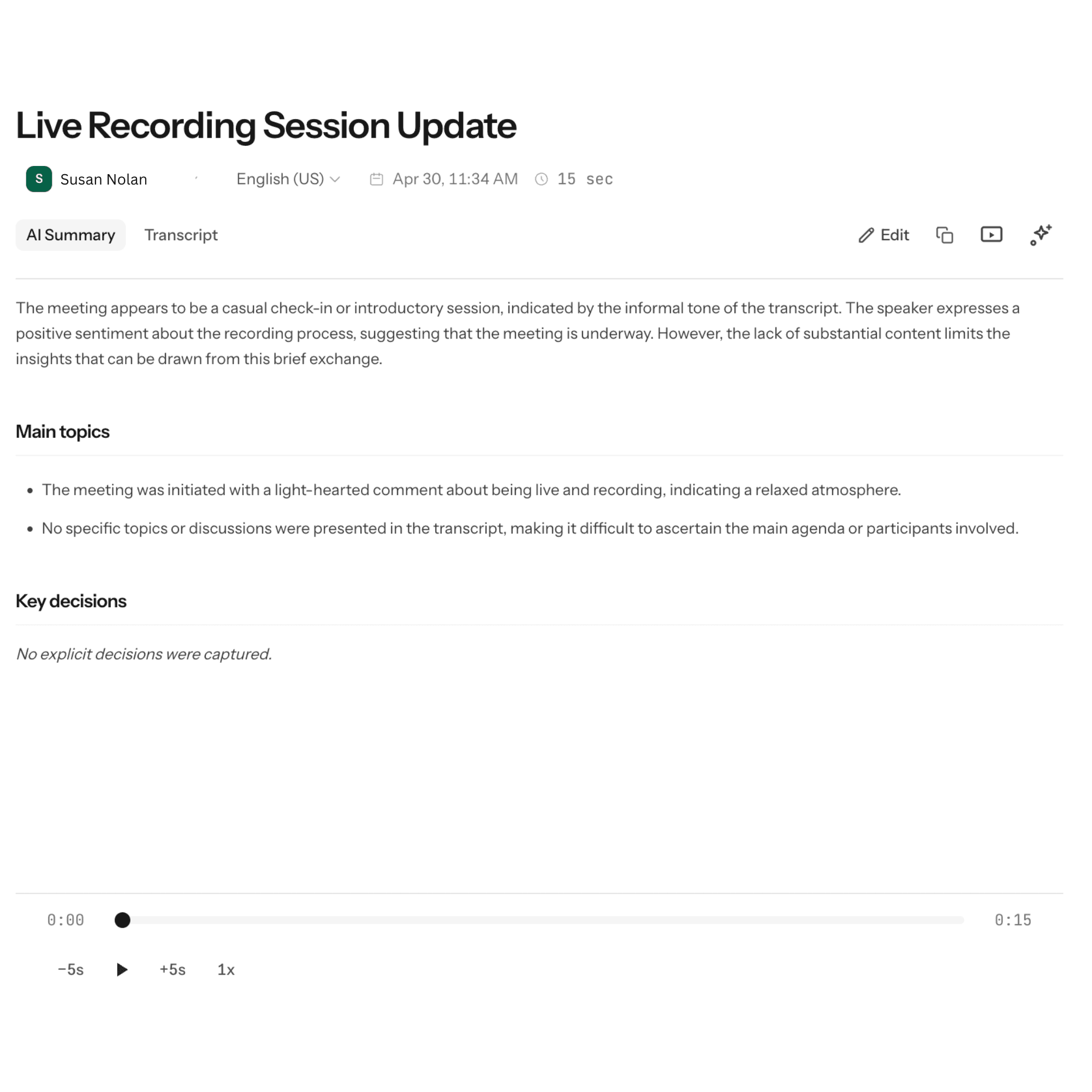
Paper listens through your Chrome tab while Meet, Teams, or Zoom runs in the browser. When processing finishes you open Paper for playback and a searchable transcript. Paper does not paint rolling captions inside the video tab during the live call.
Workspaces
Every meeting sits in a workspace so notes, search, and the assistant stay tied to the right people and projects, not a giant, mixed folder of random calls.
Assistant
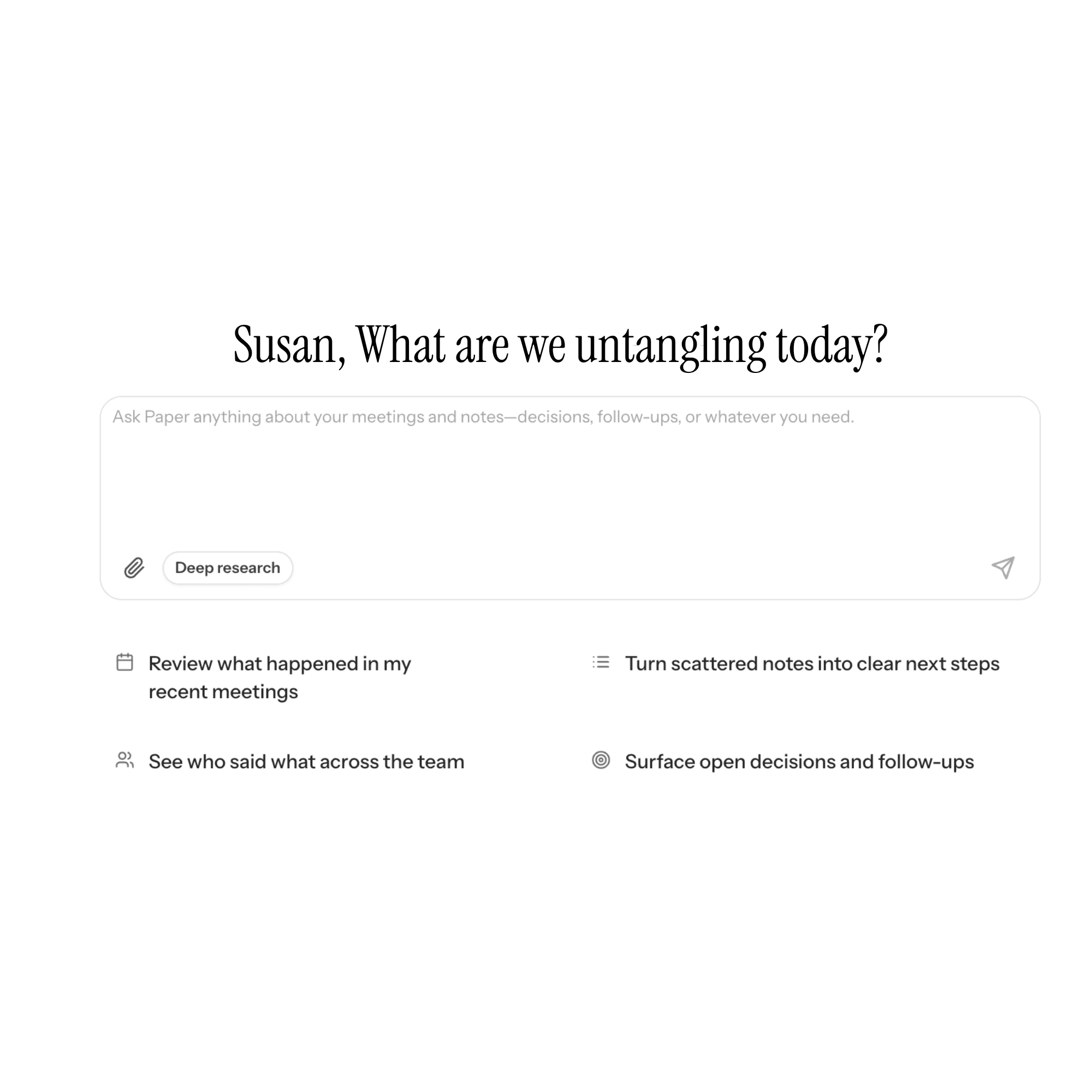
After processing finishes, ask for a recap, action items, or clarifying questions. Paper reads what was captured so replies stay tied to what people actually said instead of generic filler.
Paper does not replace Meet, Teams, or Zoom. You join in the browser like today while Paper captures audio from that Chrome tab.
Recording stays visible on your side: you control when Paper listens. Desktop Zoom or Teams apps outside Chrome are out of scope for this extension.
Search and assistant prompts pull from your workspace and that meeting transcript so replies trace back to what people actually said.
FAQ
No. Paper never dials into Meet, Teams, or Zoom as its own guest. It runs as a Chrome extension on your computer and captures audio from the browser tab where your video call runs. You decide when capture is on.
Those products invite an automated attendee into the bridge. Paper does not. Everything stays on your side of Chrome while you use the meeting tab you already trust.
No. You keep joining calls the same way in the browser. Paper adds recording, transcription after processing, search, and workspace tools once the capture finishes.
No. Paper does not stream captions inside Meet or Zoom while the meeting runs, and it is not an in-call copilot. Transcripts, playback, and assistant replies appear in Paper after processing completes.
After your capture uploads and processing finishes. Exact timing depends on length and load. You get email alerts only if you turn those notifications on.
Like any automated system, quality follows the audio. Clear speech and stable connections help. If something looks wrong, replay the recording in Paper and adjust wording yourself.
They stay inside your Paper workspace and inherit whatever access rules you use there. Guests on your video call are not asked to sign up for Paper just to attend.
No. Guests join your Meet, Teams, or Zoom session normally. Paper is for people on your team who install the extension and capture calls they are allowed to record.
Audio you capture is stored with your Paper workspace so you can replay it and search transcripts. Only use Paper where recording is permitted.
Today Paper focuses on Meet, Teams, and Zoom running in Chrome. Native desktop clients need a different approach, so capture targets the browser tab you control.
They are optional. If you enable notifications, we send summaries or readiness alerts through a transactional email provider. Turn them off anytime.
Public pricing appears on our pricing page whenever billing is live. For cancellations, refunds, or invoice questions, email support through the contact channel listed with your workspace.
Install takes less than a minute. Join Meet, Teams, or Zoom in the browser like you already do. After the call, open Paper for the recording and processed transcript.